User Widgets
Written By Aladia Support
Last updated About 1 year ago
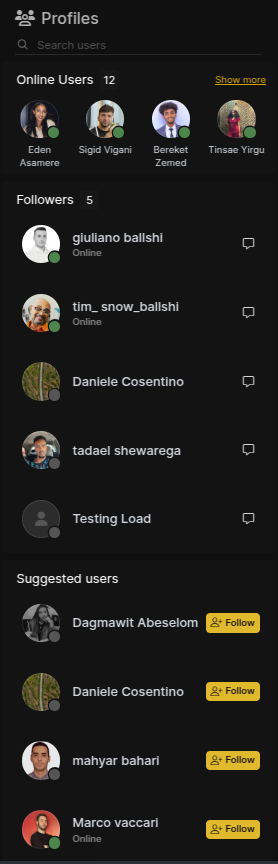
The User Widget appears on the right side of the feed and includes three sections: Online Users, Followers, and Suggested Users. This widget allows users to quickly find and connect with others in the community, facilitating faster conversations and network building.
Online Users
Displays the number of users currently online.
Includes a Show More button to view the full list of online users when clicked.
Followers
Shows the total number of followers for the current user.
Provides a Chat Button next to each name, allowing users to start a conversation instantly.
Suggested Users
Displays a list of recommended users for potential connections.
Provides a Follow Button next to each name for easy connections.
Includes a Search Bar that allows users to look up specific people by name.