Repost
Written By Aladia Support
Last updated About 1 year ago
This guide helps users through reposting and removing reposts on the platform. Users can repost a post by clicking the Repost button, instantly sharing it on their profile. Reactions, comments, and share counts are recorded on the original post. Each user can repost a post only once. To remove a repost, users can click the Share button and select Remove Repost, ensuring the post is no longer shared on their profile.
Repost
Initiate the Repost
Navigate to the Feed page and locate the post you want to repost.
Click the Share button. Select Repost from the options.
Processing the Repost
The pop-up closes automatically after clicking.
A progress bar appears at the bottom left, indicating that the repost is being processed.
Reposts are shared on the user's profile.
Reactions, comments, and share counts are recorded on the original post.
Share Repost
Open the Share Options
Navigate to the Feed page. Locate the repost you want to share.
Click the Share button located at the bottom of the post. A pop-up appears with two sharing options.
Select a Sharing Method
Copy Link
Click the Copy Link button to copy the post's URL.
Paste the link into a browser (even without an Aladia account) to verify accessibility.
Send to a User
Select multiple users to share the repost via one-to-one chat.
A text box appears at the bottom where you can add a message.
Click the Send icon to share.
A toast notification will confirm that the message has been shared successfully.
Video Guide:
Delete Repost
Open the Options Menu
Navigate to either the Feed page, or the Profile page under the Posts tab.
Locate the repost you want to delete.
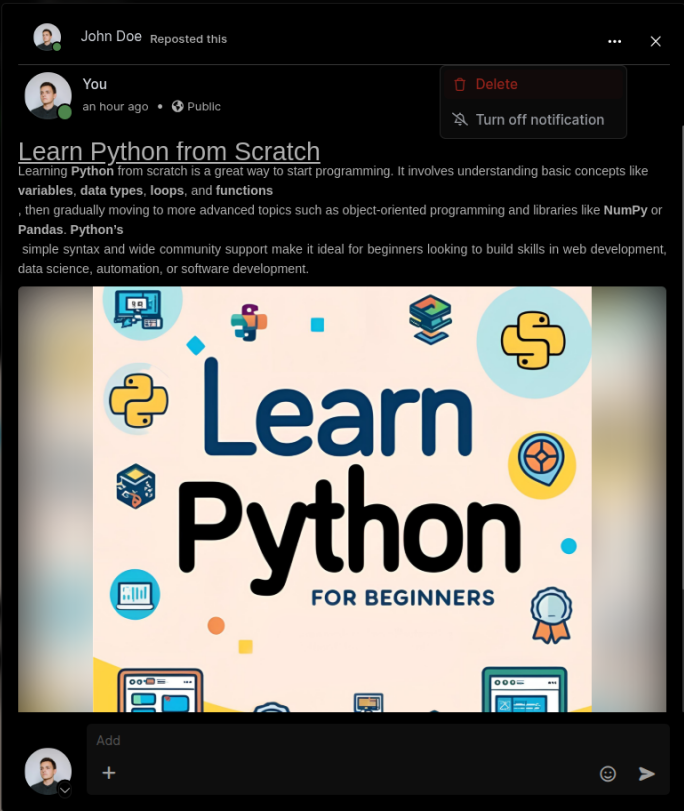
Click the three-dot menu at the top-right corner of the repost.
Initiate Deletion
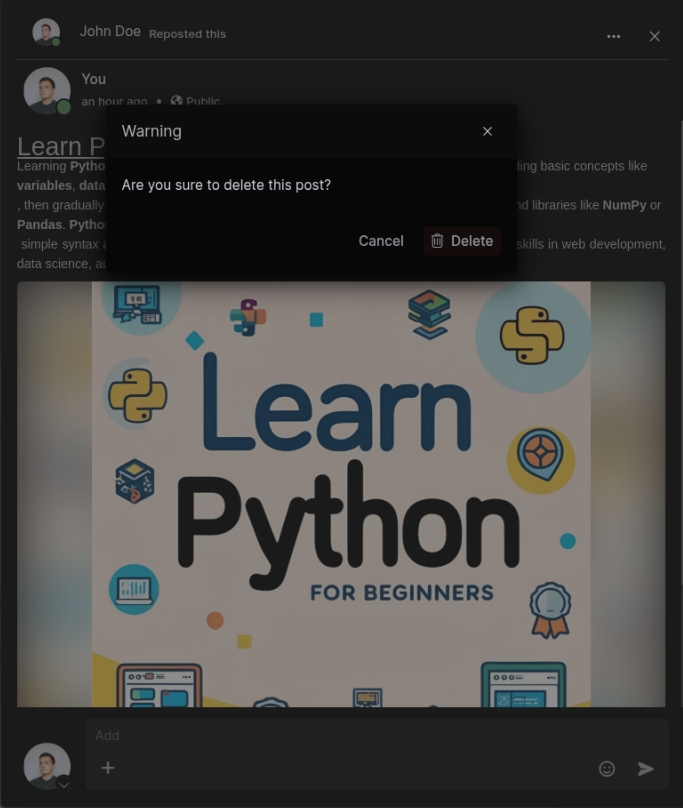
Select Delete from the dropdown menu. A confirmation pop-up appears.
Click the Delete button to confirm.
Repost Removal
The repost is permanently deleted and is no longer visible in the feed or profile.
The repost count on the original post updates automatically, reflecting the removal.