Clear Chat
Written By Aladia Support
Last updated About 1 year ago
This guide helps users through the process of clearing a chat, which allows them to remove all messages from a conversation without deleting the chat itself. This feature is useful for keeping the chat interface clean while retaining access to the chat for future conversations. Users can choose to clear messages only for themselves or for both participants in the chat. In group chats, clearing messages does not affect other members. Once confirmed, all chat history will be removed from the user's view, but the conversation remains accessible for new messages.
Clear Chat
Navigate to the Chat View
Option 1: Through the Marketplace
Navigate to the Marketplace. Click the Profile Picture from the left-side panel. Click on the Chat Tab. The Chat Page will appear.
Option 2: Using the Message icon
Click the Message icon in the top-right corner. The icon displays the number of unread messages. Click on the Chat View button to open the chat. The Chat Page will appear.
Option 3: Through the menu icon
Click the menu icon in the top-right corner. Scroll down and select the Message icon. The Chat Page will appear.
Access the Clear Chat Option
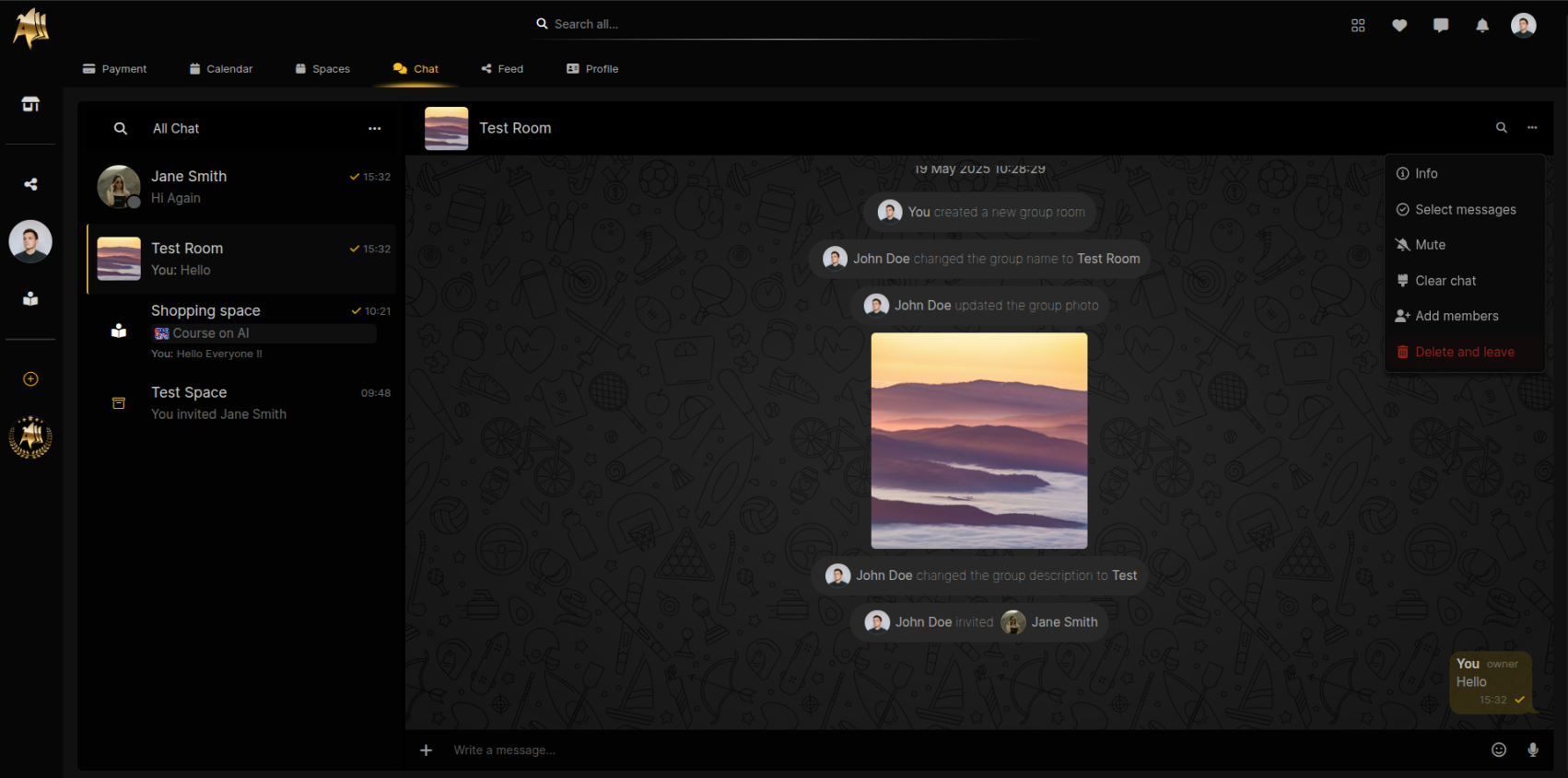
Click on the Group Chat to clear. Click on the three-dot menu icon in the top-right corner of the chat body.
Alternatively, click on the Group Name at the top of the chat body to open the Info Panel.
A dropdown menu will appear with options including: Info, Select Message, Mute, Clear Chat, Delete Chat, and Leave Group.
Choose Clear Chat Scope
Click on the Clear Chat button, and a confirmation pop-up will appear, asking if the user wants to delete all messages.
Two options will be presented:
Delete for me: Removes the messages from the user's chat but keeps them visible to the other participant(s).
Delete for me and [Chat Participant]: Removes the messages for both the user and the other participant(s).
Select the preferred option.
Confirm Clearing the Chat
Click on the Clear button to remove the messages based on the selected option.
If Delete for me is selected, all messages will be removed from your chat history, but the other participant(s) will still see the messages.
If Delete for me and [Chat Participant] is selected, messages will be deleted for both parties.